What are you looking for?
Search

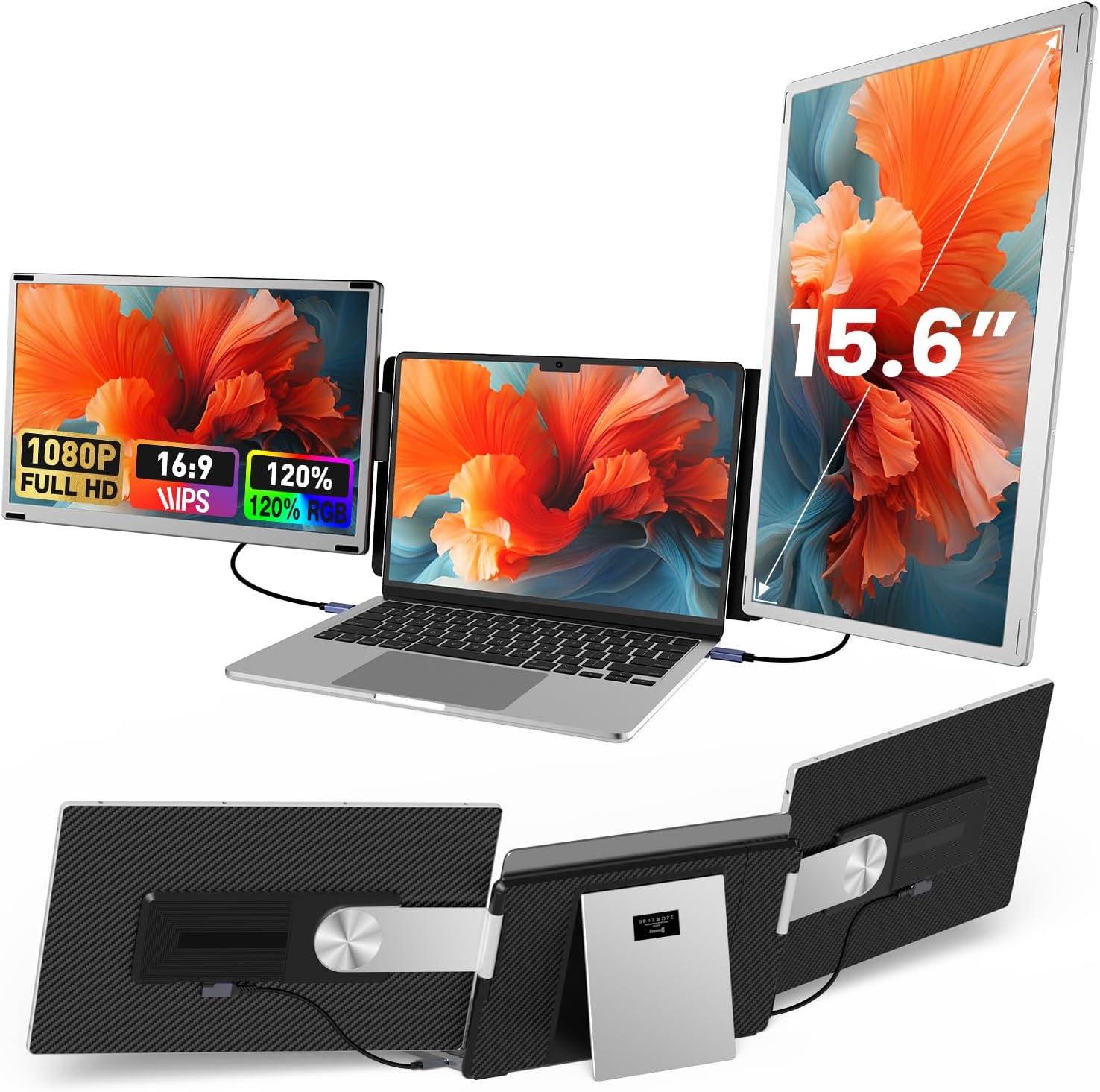
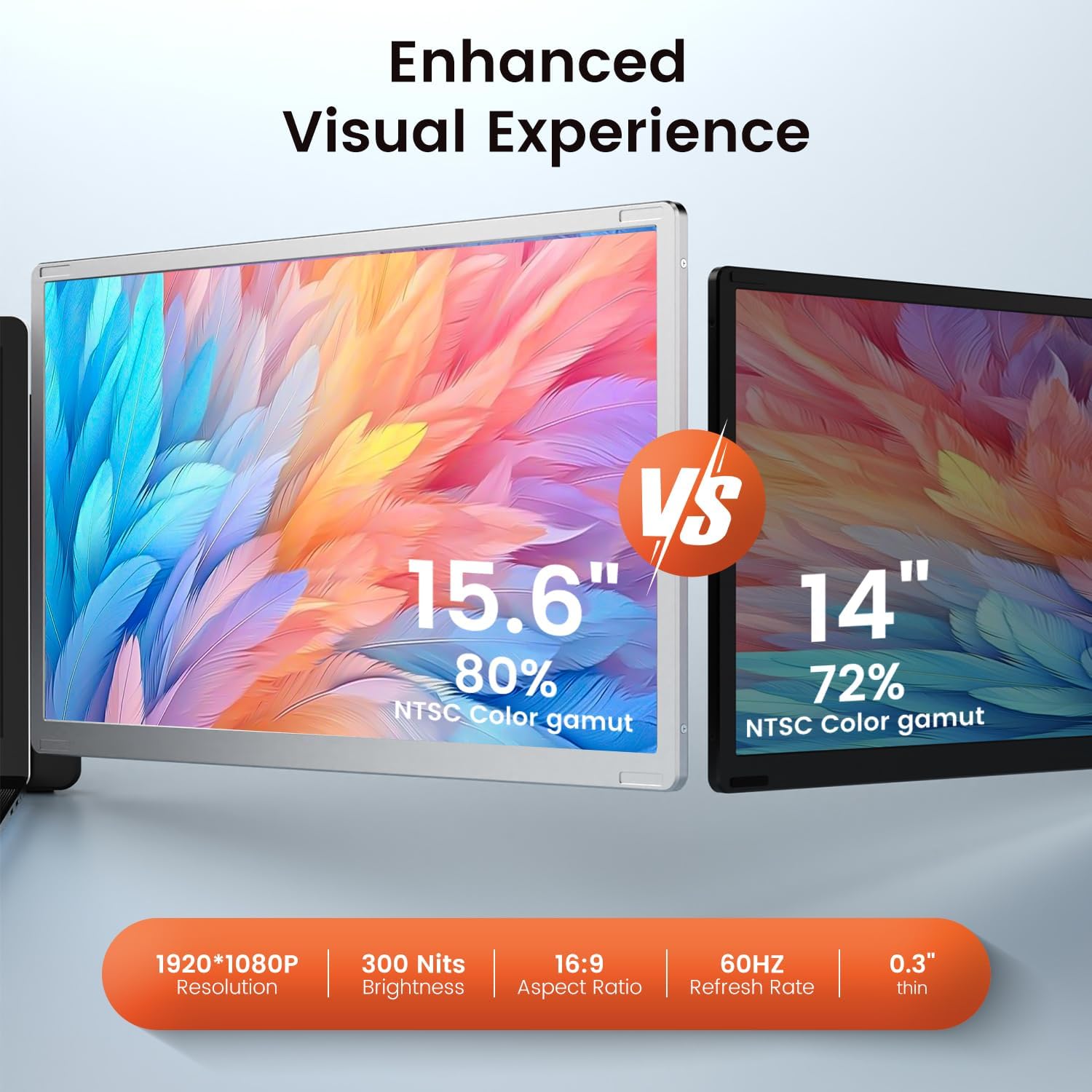
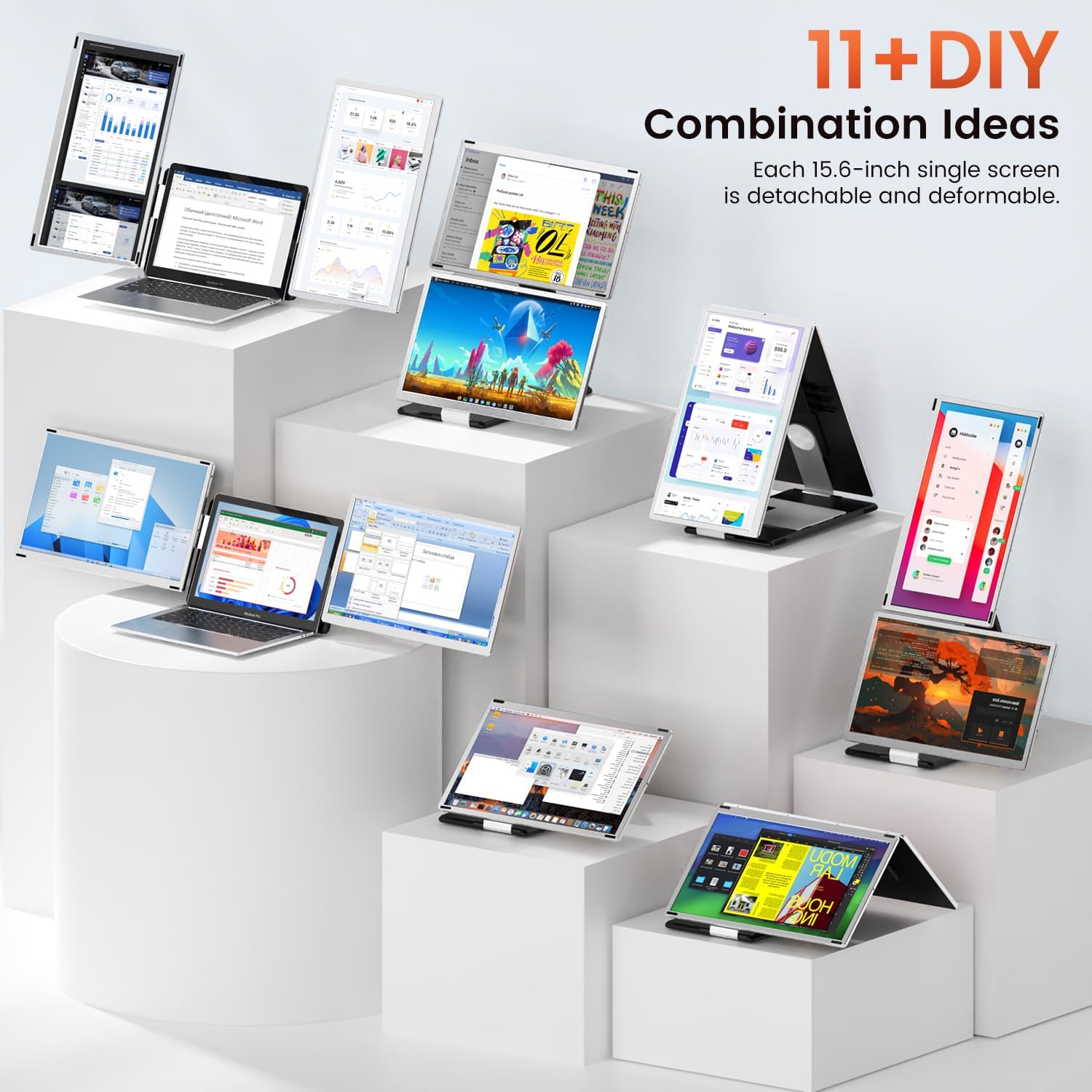
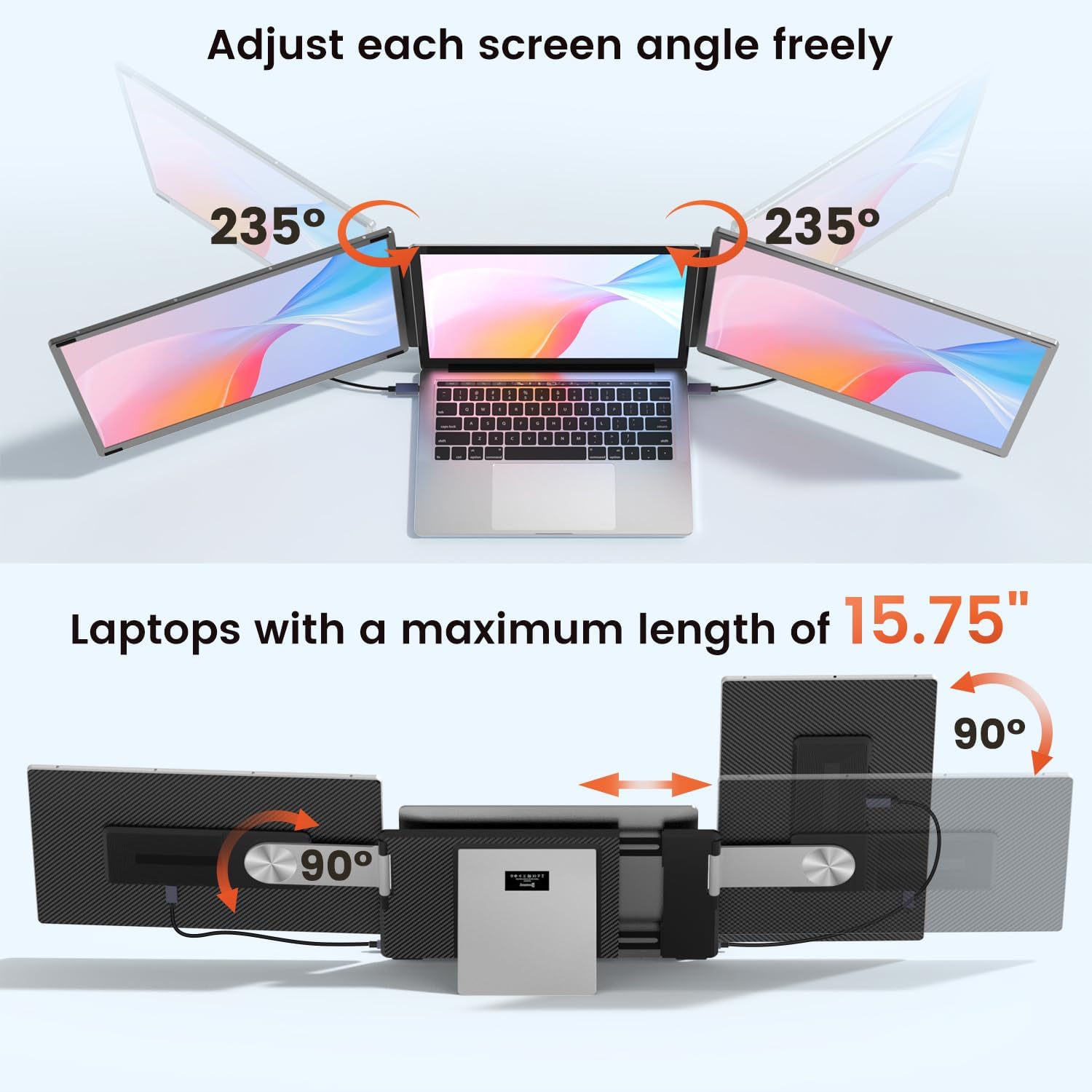
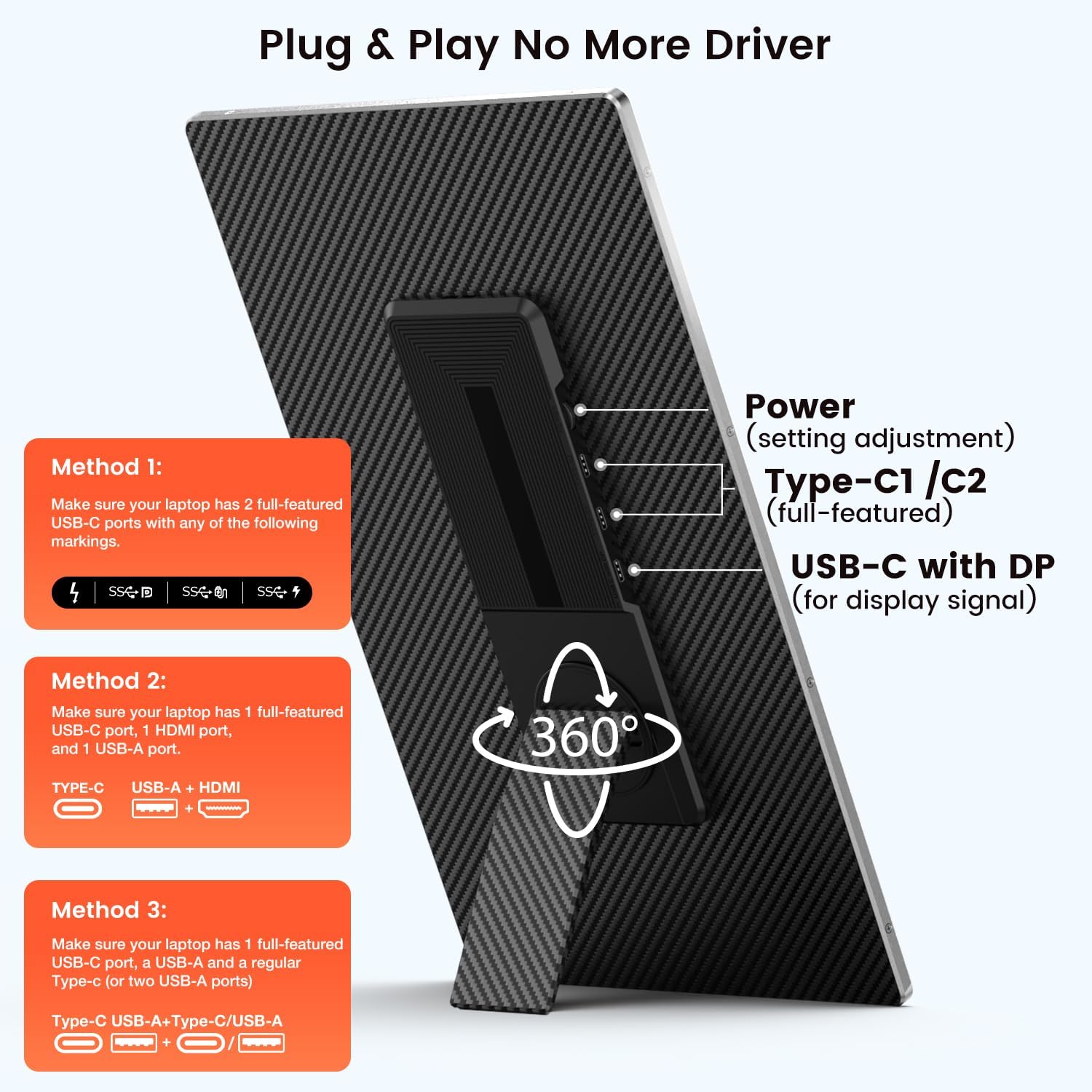
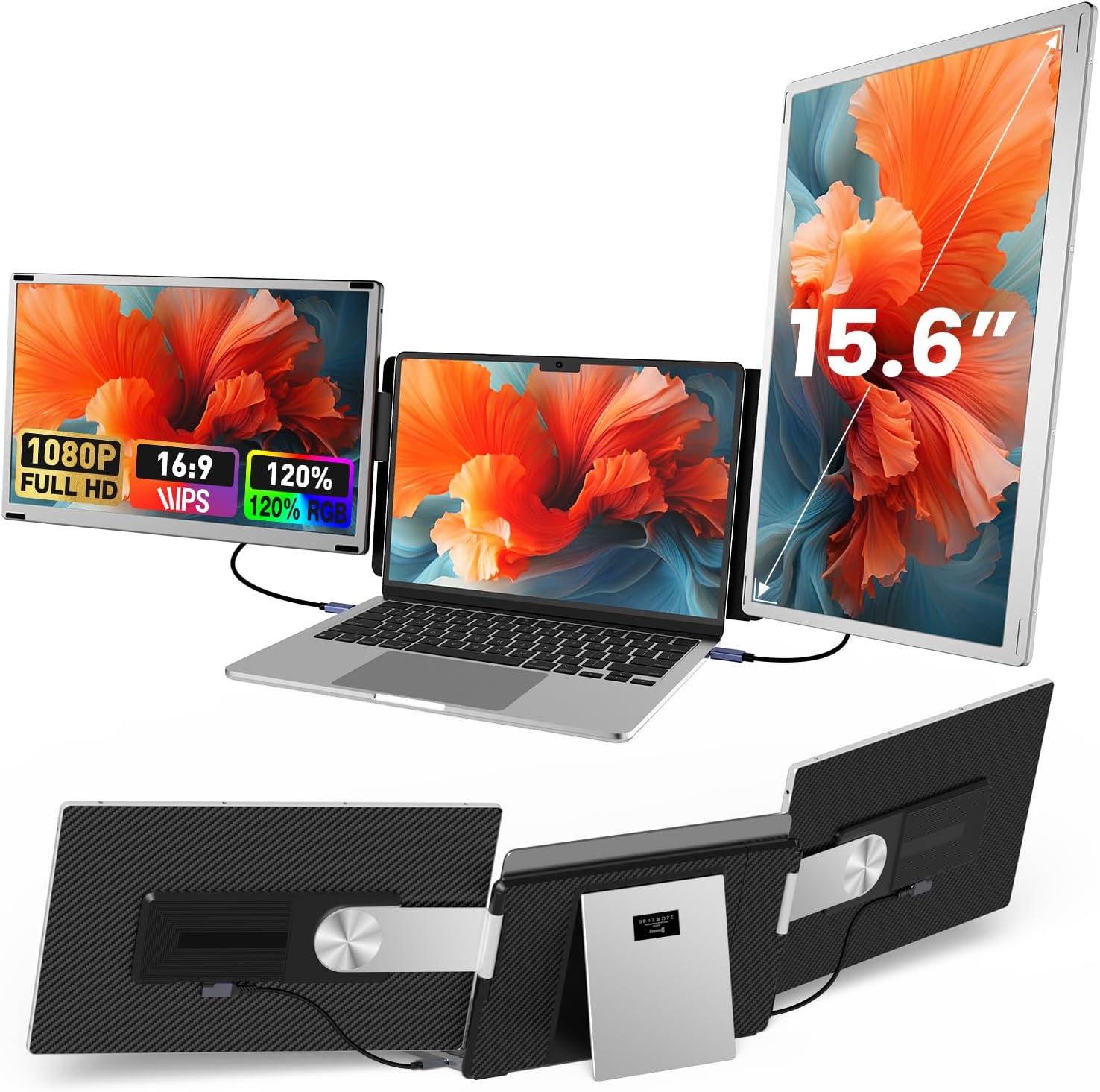
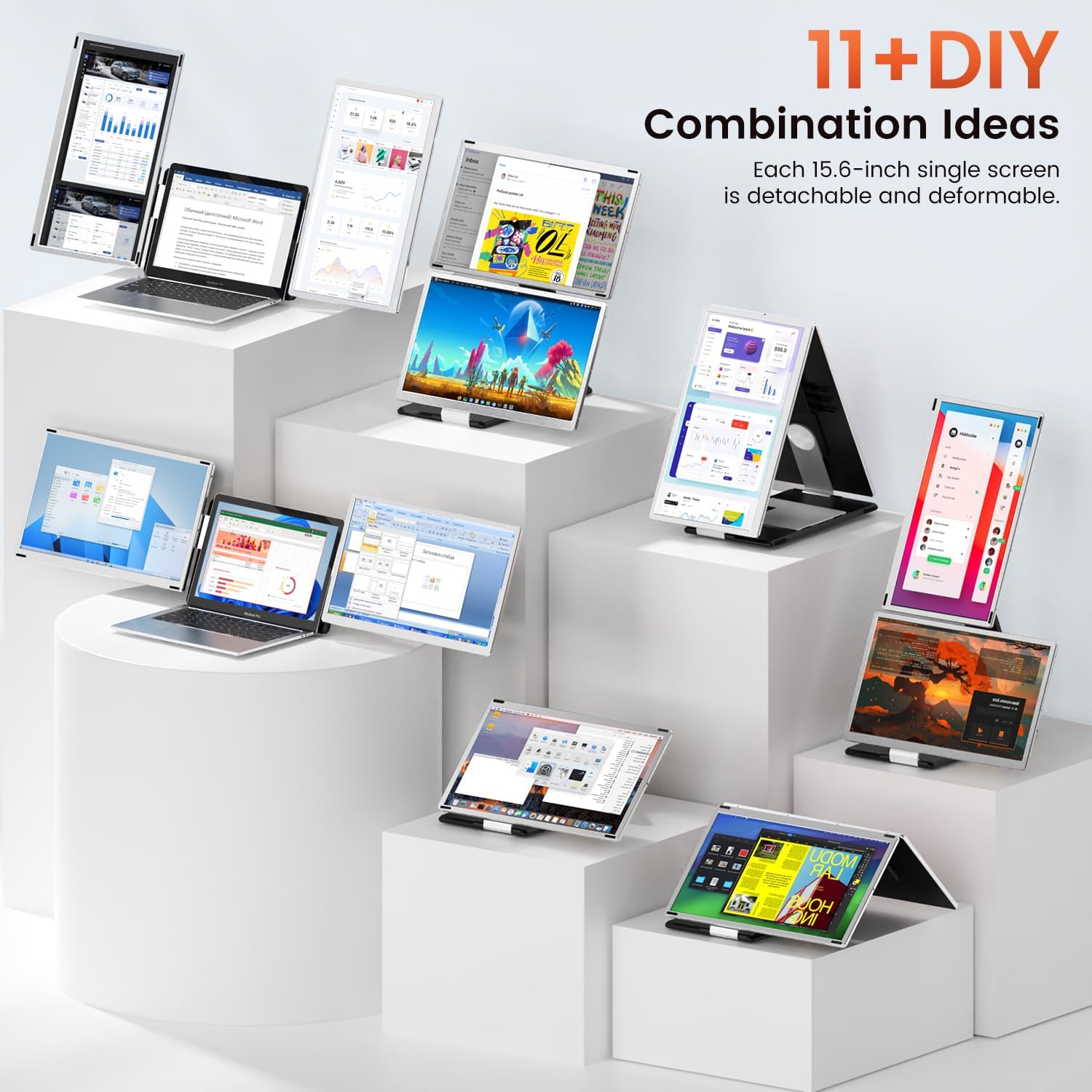
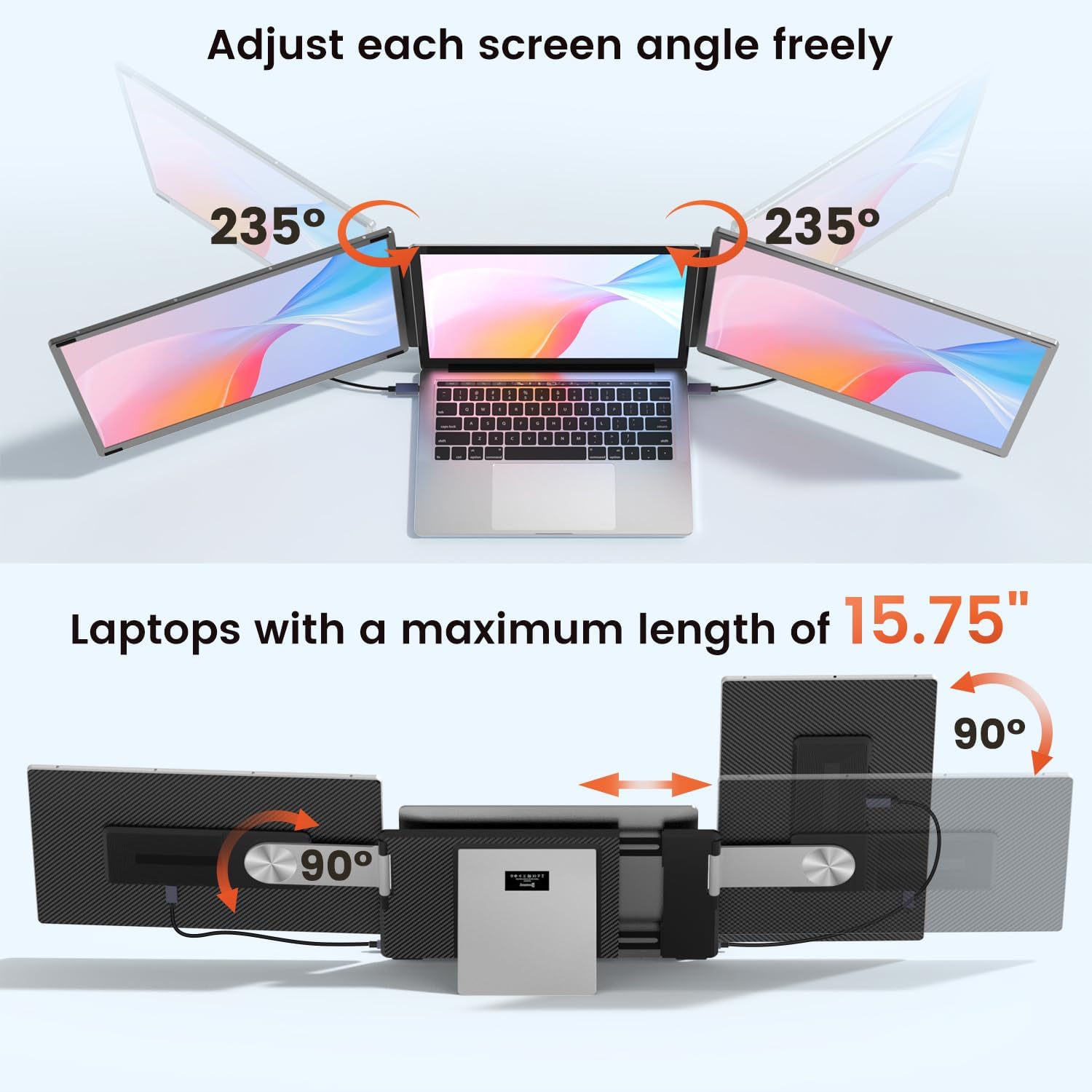

[11+ Configurations] Featuring dual monitor that can rotate both horizontally and vertically this device offers over 11 unique configurations. Whether you need a dual screen setup for multitasking or prefer a single screen for focused tasks this screen extender can be easily detached or combined to meet your needs-turning your laptop into a dynamic workstation!
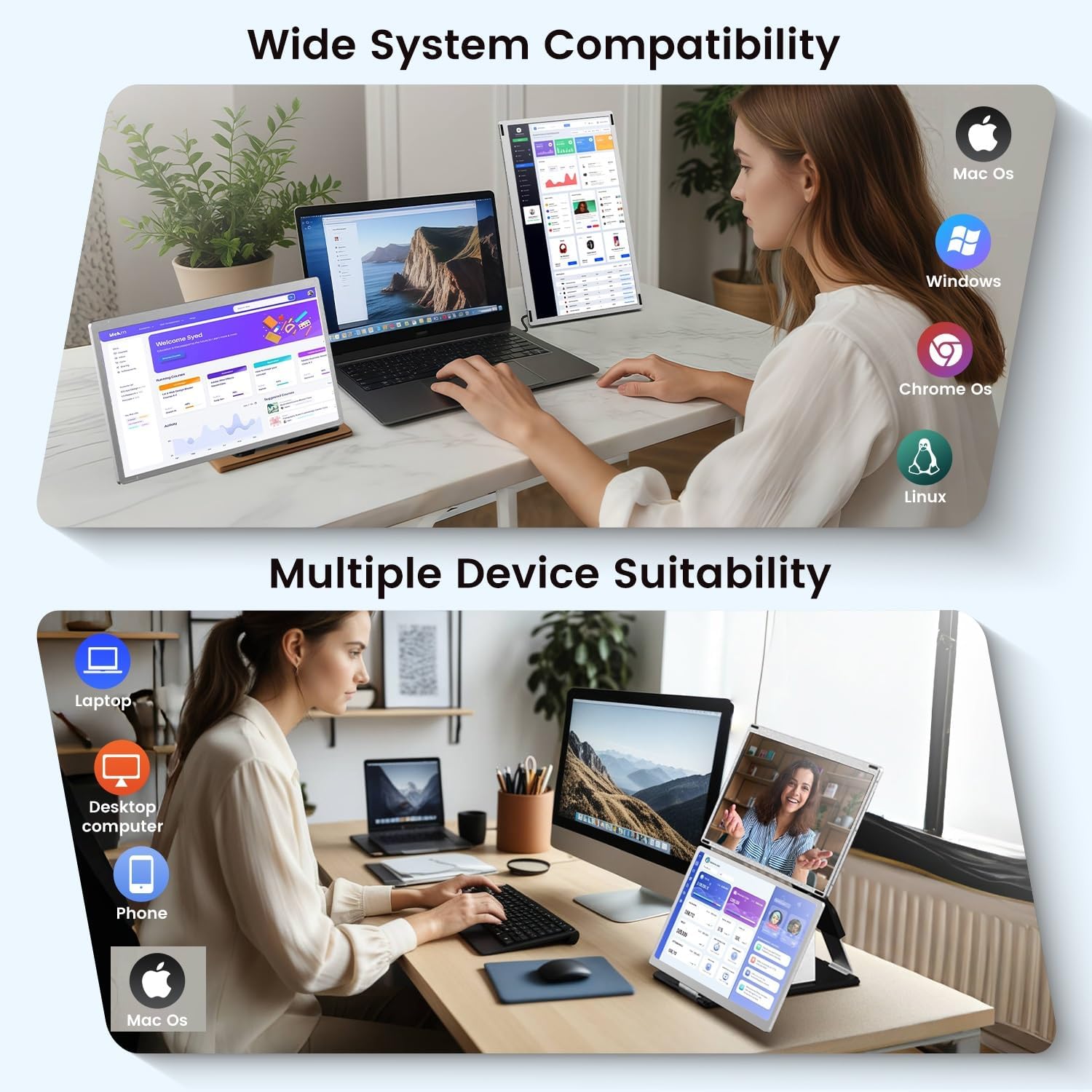
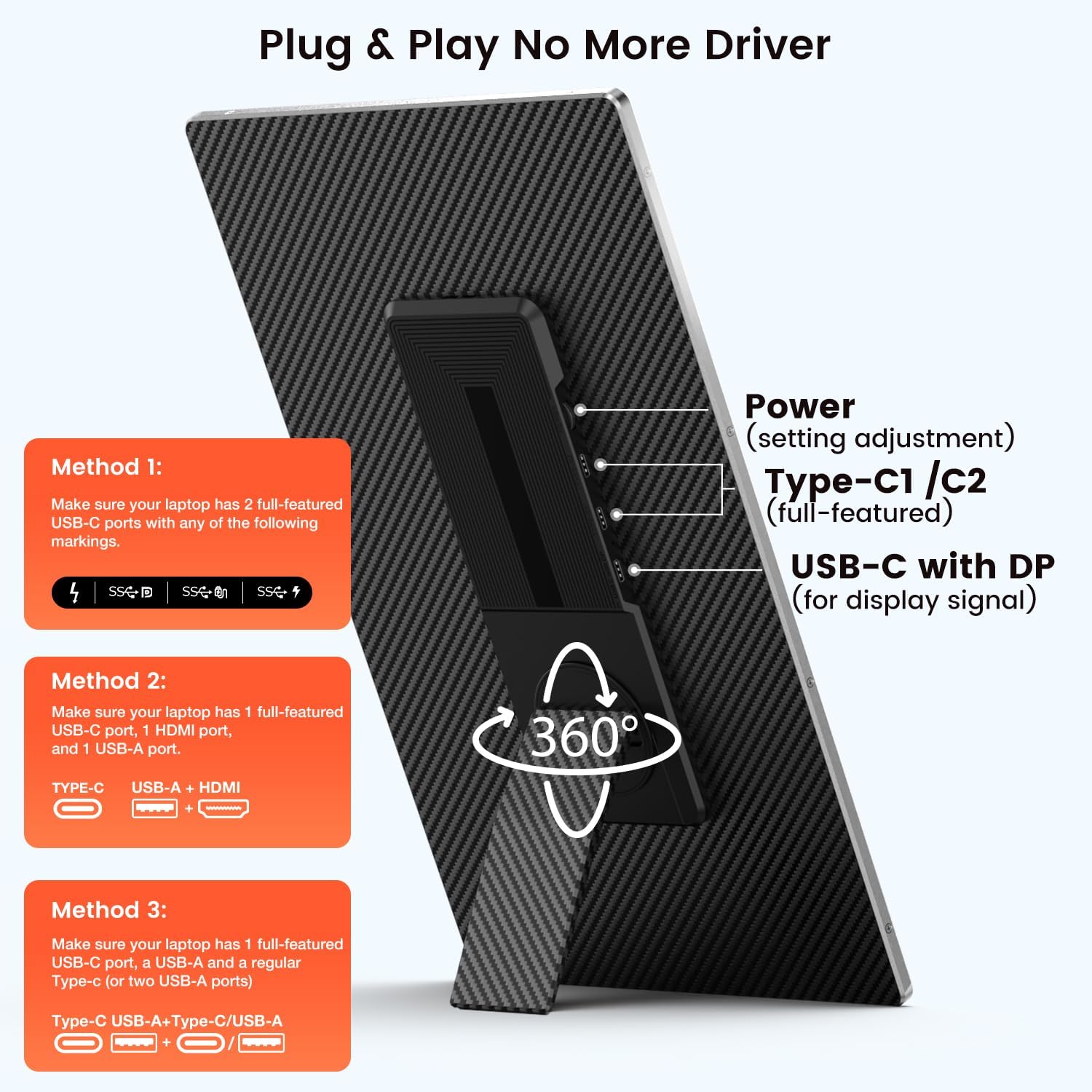
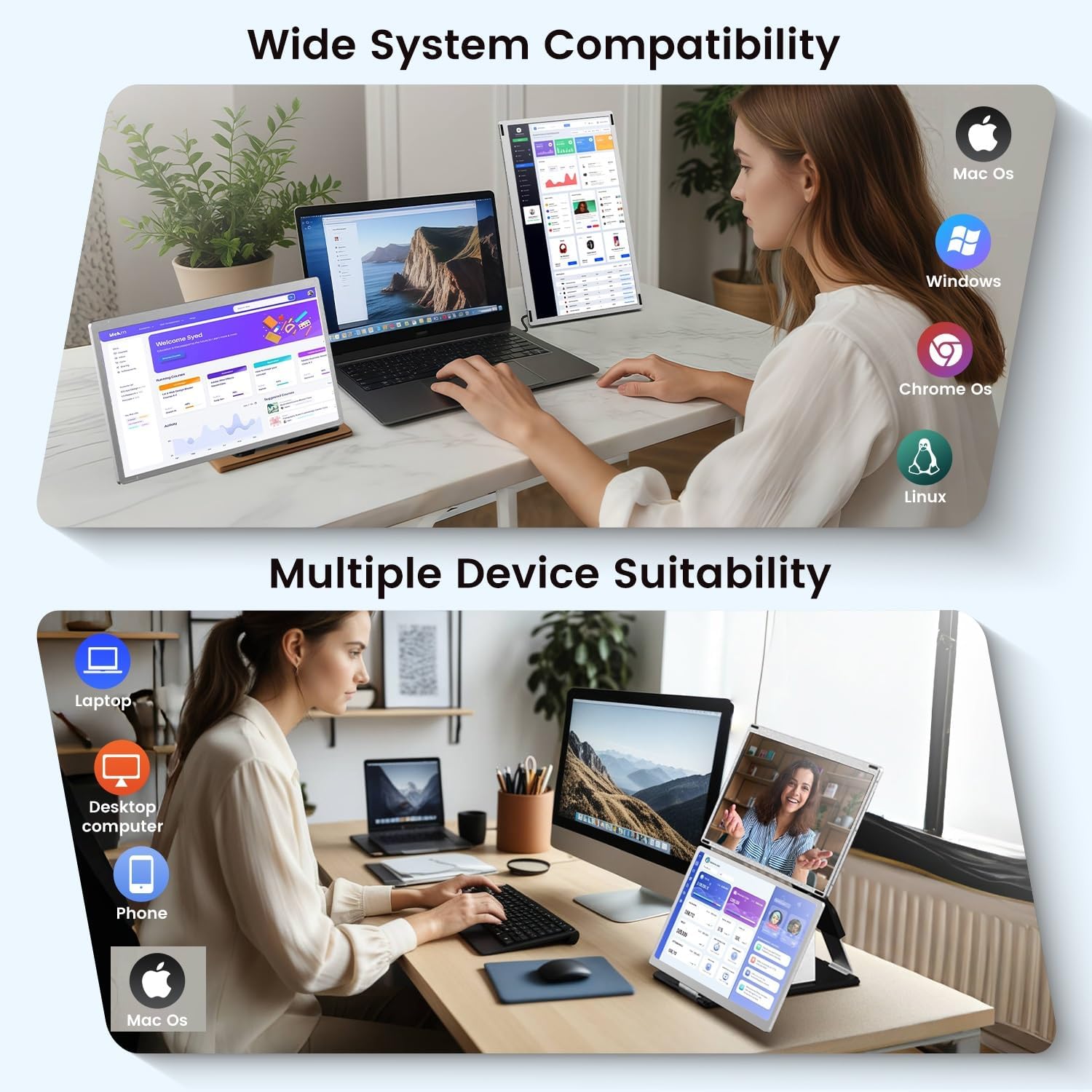
[Wide Compatibility] This laptop monitor extender is widely compatible with Windows MacOS Chrome and Dex systems. For MacBook with M1 M2 or M3 chips and some laptops with only single screen display due to compatibility issues please use the included H5 hub to connect the "USB C with DP" port of the second screen and then use an extra USB-A to USB-C cable to power the "Type C" port of that screen download the driver as prompted(Driver is required only when using H5 HUB.)
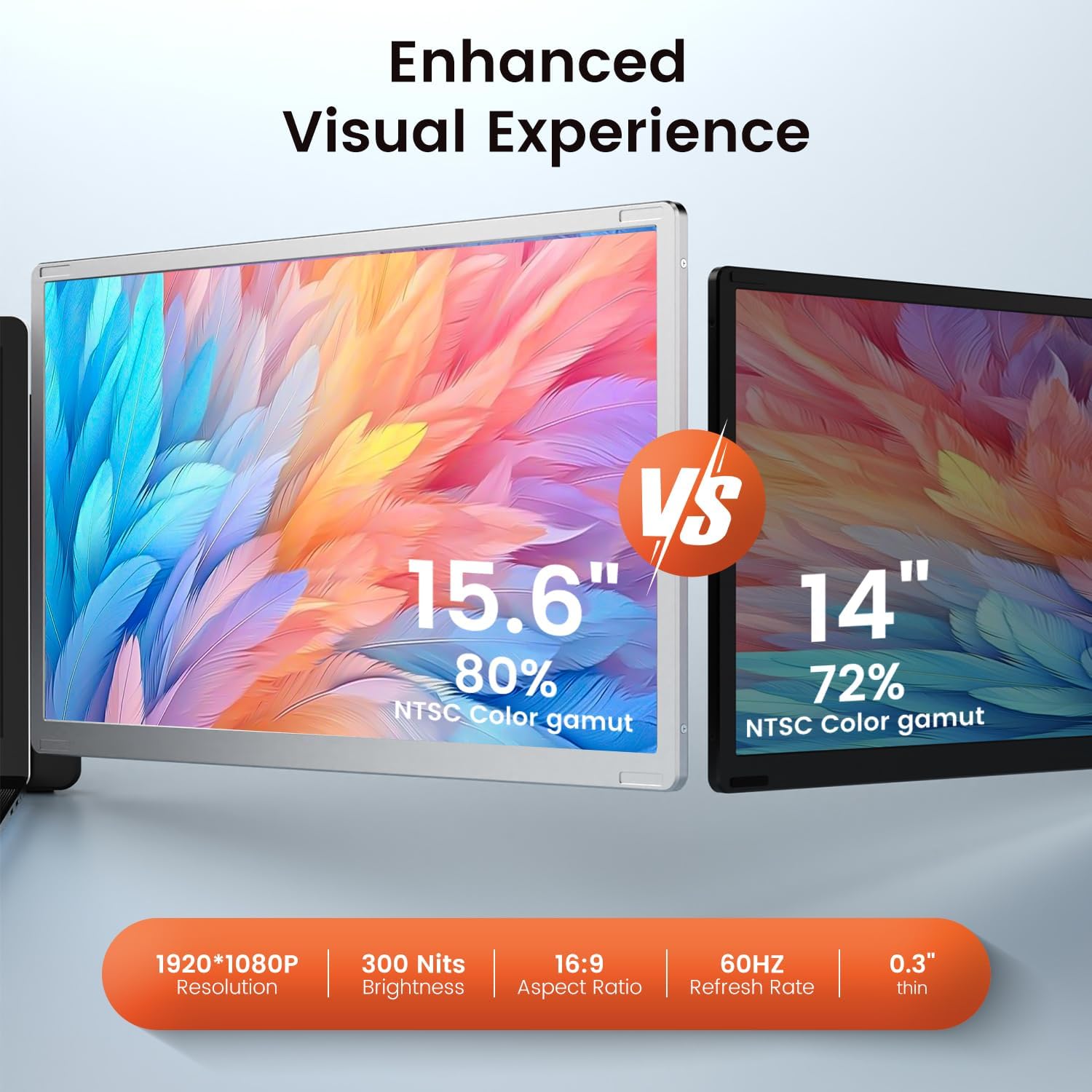
[Innovative Design] This triple screen laptop monitor extender is crafted from durable aluminum alloy and PC materials ensuring its robust and heat-resistant. The dual-screen magnetic upgrade design guarantees stability and compactness during installation allowing you to easily fold it into the included carry bag. Product weight: 5.2 lbs (not lightweight).
[Tips & Service] Not all laptops can support two expansion screens and make them work well. Due to the limitations of the laptop itself there may be some compatibility issues such as: only one monitor works displaying "no signal" "power saving mode" screen flickering black screen etc. Please click " Direct" on the right or below to contact us and we will provide you with a solution within 24 hours. We are committed to providing you with a 12-month quality experience and first-class customer service.
111+ DIY Combination Ideas2Rotatable screen3Stretchable Bracket1Connection method 12Connection method 23Connection method 3
Not all laptops can support two expansion screens and make them work well. Before purchasing this product please verify whether your laptop port meets one of the above connection options or if there are any product connection problems please send us the specific model of your laptop and photos of the ports on both sides of the laptop we will check the compatibility and provide you with a solution.
1. Display "No Signal":
Some type-c ports do not support the transmission of video signals. You need to add an additional HDMI to USB-C cable to connect to the "USB C with DP" port of the screen.
2. The screen is black flickering or enters power saving mode:
It may be that the laptop power or voltage is too low to support 3 screens working at the same time. Please use an additional USB-A to USB-C cable or an external power supply (5V/3A or above) to power the expansion screen.
3. The second screen does not work or for MacOS with M1/M2/M3 chip:
Some laptops do not support the output of two video signals at the same time. Please use the included H5 HUB to connect the "USB C with DP" port of the second screen to the laptop and then use an additional USB-A to USB-C cable to connect the second screen to the laptop and install the driver.
laptop screen extender
4 connection methods for different laptops
laptop screen extender
What's in the package?
Warm Tips:

You have successfully commented, please wait for review
Copied Successfully
You can enjoy up to 1 free gift!